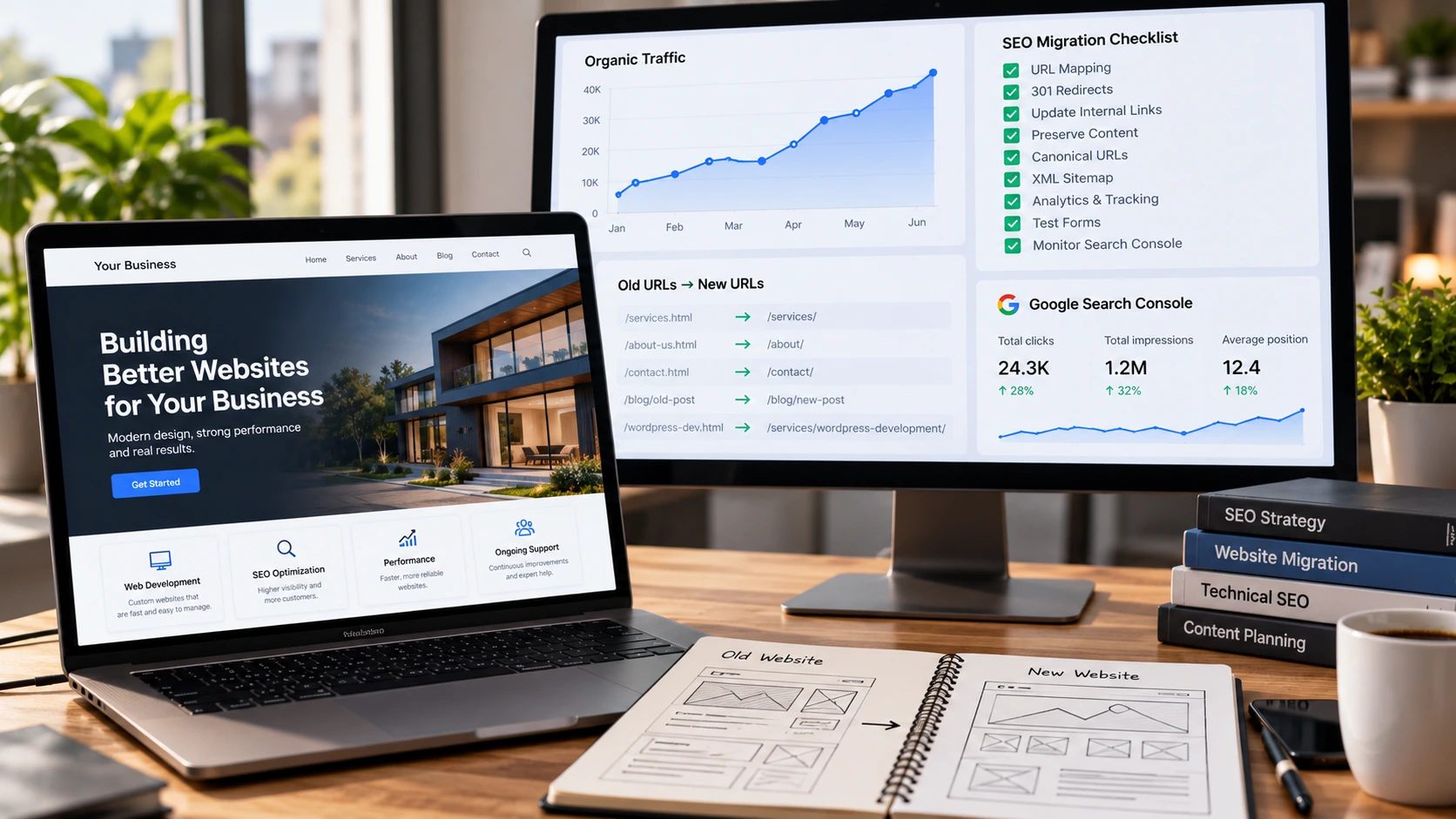
A website redesign without losing SEO requires much more than preserving a few keywords and installing an SEO plugin on the new site.
When a business redesigns its website, the visible changes are usually the main focus. The homepage becomes cleaner. The navigation changes. New images replace outdated ones. Pages are rewritten. The website may move from one CMS to another or from an old theme to a completely new development stack.
But Google does not see only the design.
Search engines have already built an understanding of your URLs, content, internal links, canonical signals, structured data and relationships between pages.
Changing those elements without a migration plan can turn a successful redesign into an SEO problem.
Google's own site migration documentation recommends preparing URL mappings, implementing permanent redirects when URLs change, updating internal links and submitting the new sitemap.
A redesign can absolutely improve a website.
The important part is making sure the SEO value you have already built does not disappear during the process.
Why Website Redesigns Can Cause Google Traffic to Drop
A redesign itself does not automatically hurt rankings.
Problems usually appear because important signals change at the same time.
Perhaps a service page previously existed at:
example.com/wordpress-development
After the redesign, it becomes:
example.com/services/web-development
If the old URL disappears without a proper redirect, visitors following old links will reach an error page and Google will eventually discover that the original page is gone.
Another business might keep the URL but replace 1,500 words of useful service information with three short marketing paragraphs because the new design looks cleaner.
Another migration may accidentally leave noindex tags from the staging environment on the live website.
The redesign is not the real problem.
The uncontrolled changes are.
This is why SEO should be included before development begins rather than checked after launch.
Audit the Existing Website Before Changing Anything
Before rebuilding a website, document what already works.
You need to know which pages receive search clicks, which URLs have external links, which pages generate leads, which queries produce impressions and which sections visitors actually use.
Google Search Console should be one of the first places you inspect.
Look at the pages receiving organic clicks and impressions.
Then look at their queries.
You may discover that a seemingly ordinary service page is responsible for a significant portion of relevant search visibility.
Removing that page because it looks outdated could create an unnecessary SEO loss.
Google Analytics can provide another perspective.
A page may not receive enormous traffic but may consistently appear in the journeys of people who eventually submit a contact form.
Traffic alone therefore should not decide whether a page survives the redesign.
Commercial value matters too.
Create an inventory of your existing URLs before developers begin changing the structure.
This becomes the foundation of the migration plan.
Do Not Change URLs Just Because the New Ones Look Better
There are valid reasons to improve URL structures.
Perhaps the existing URLs are genuinely confusing.
Maybe the business has changed services.
Maybe a CMS generated poor URLs years ago.
But changing every URL simply because shorter URLs look cleaner creates migration work without necessarily creating meaningful SEO value.
If an existing page already has a clear, descriptive and stable URL, keeping it can often be the safest option.
When a URL genuinely needs to change, map the old address directly to the most relevant new page.
Google recommends server-side permanent redirects such as 301 or 308 redirects for permanent URL moves. You can review Google's current guidance in its redirect documentation.
For example:
/old-wordpress-services
should redirect to/services/wordpress-development
if that page is the true replacement.
Do not send every removed URL to the homepage.
Google specifically warns against redirecting many unrelated old URLs to one irrelevant destination because those redirects may be treated as soft 404s.
The destination should make sense to the person who requested the old page.
Build a Proper URL Redirect Map
A redirect map is one of the most important documents in a website migration.
It connects the old website architecture to the new one.
For every important old URL, determine what should happen after launch.
Some URLs will stay exactly the same.
Others will permanently redirect to a new URL.
Some may be consolidated into a stronger page.
Others may genuinely need to disappear because the content no longer exists and has no suitable replacement.
The goal is not to preserve every page forever.
The goal is to make intentional decisions instead of discovering broken URLs after Google and customers have already found them.
After implementing the redirects, test them.
A redirect existing in a spreadsheet does not mean it works on the server.
Open the old URLs.
Confirm they reach the correct destination.
Check the HTTP response.
Watch for redirect loops and long redirect chains.
Google recommends directing users to the final destination rather than building unnecessary chains.
Instead of:
Old URL → Temporary URL → New URL
prefer:
Old URL → New URL.
This reduces unnecessary requests and creates a cleaner migration.
Preserve Content That Already Earns Search Visibility
A redesign often involves rewriting content.
That can be good.
Old websites frequently contain vague copy, outdated information, duplicated sections and poor formatting.
But content should not be deleted simply because the new design needs more white space.
Imagine a page that ranks because it explains a service in detail, answers customer questions and contains relevant supporting information.
The redesign replaces it with:
“We create digital experiences that transform your future. Contact us today.”
The page may look modern.
It may also provide substantially less information than the previous version.
The safer approach is to evaluate valuable content before rewriting it.
Identify the sections that answer important search questions.
Preserve useful explanations.
Improve outdated material.
Remove genuine filler.
Add stronger evidence where available.
The goal should be a better page, not simply a shorter one.
Google's helpful content guidance encourages content that provides substantial value, useful information, clear sourcing and genuine help for the intended audience.
A redesign should strengthen those qualities.
Update Internal Links When URLs Change
Redirects are important, but your own website should not rely on redirects unnecessarily.
If page A links to an old URL that redirects to page B, update the link so page A points directly to page B.
This matters across navigation menus, footer links, blog articles, service pages, breadcrumbs and contextual links.
Internal linking helps visitors move through the website and helps search engines understand the relationship between pages.
A strong website migration therefore includes both redirects and internal-link updates.
These solve related but different problems.
The redirect protects requests for the old address.
The updated internal link tells your own website to use the correct address from now on.
I have covered this subject in more depth in my guide to WordPress internal linking strategy.
Review Canonical URLs Before Launch
Canonical tags help search engines understand which URL you prefer when similar or duplicate versions of content exist.
They become particularly important during migrations because templates, staging configurations or CMS settings can generate unexpected canonical URLs.
For example, the new live page could accidentally contain a canonical tag pointing to:
staging.example.com/service
instead of:
example.com/service
That small line of code can create a serious indexing signal problem.
Every important live page should be checked after deployment.
Google's site-move documentation recommends updating canonical annotations to reference the new URLs after a migration.
If duplicate URLs are already a problem on your WordPress site, you can also read my guide on fixing WordPress canonical URLs and duplicate-content confusion.
Do Not Accidentally Launch a Noindex Website
Development and staging websites are commonly blocked from search engines.
That is normally a good thing.
You usually do not want Google indexing an unfinished version of a website.
The problem appears when those settings survive the launch.
A staging environment might use:
noindex
robots restrictions,
password protection,
or server-level crawling blocks.
Before launch, the team should explicitly verify that production pages intended for Google are indexable.
Do not assume the setting changed automatically.
Open important pages after launch and check their robots directives.
Inspect the live robots.txt.
Check canonical tags.
Submit important URLs to Search Console for inspection when appropriate.
A beautiful new website that tells search engines not to index it is still a failed migration.
Create and Submit the Correct XML Sitemap
Your XML sitemap should represent the URLs you actually want search engines to discover.
Google recommends listing canonical URLs in sitemaps and using fully qualified absolute URLs.
You can read its current recommendations in the Google XML sitemap documentation.
After redesigning your website, check whether the new sitemap contains:
live URLs,
canonical URLs,
indexable pages,
and the correct HTTPS hostname.
Avoid filling the sitemap with redirects, duplicate parameters, old staging URLs or deleted pages.
After launch, submit the new sitemap through Google Search Console.
This gives Google another clear discovery signal for the new site architecture.
Check Core Web Vitals Before Celebrating the New Design
Redesigns can improve performance.
They can also make websites dramatically heavier.
Large hero videos, oversized images, animation libraries, sliders, custom fonts and third-party JavaScript may create an impressive visual experience while slowing down the actual website.
That matters for visitors and SEO.
The current Core Web Vitals are Largest Contentful Paint, Interaction to Next Paint and Cumulative Layout Shift.
Google currently considers good performance to be approximately:
LCP within 2.5 seconds,
INP under 200 milliseconds,
and CLS under 0.1.
These metrics should be evaluated as part of overall page experience rather than treated as a guaranteed ranking shortcut.
If your redesigned site becomes slower than the website it replaced, investigate before launch rather than hoping performance can be fixed later.
I have a detailed guide explaining how to improve Core Web Vitals in WordPress.
For businesses that want the implementation handled directly, my Website Speed Improvement package covers performance auditing, images, JavaScript, CSS, caching and Core Web Vitals improvements.
Test Forms, Analytics and Lead Tracking
SEO traffic is valuable only if the new website can convert it.
Redesign projects sometimes focus heavily on visual QA while conversion tracking receives far less attention.
Test every important action after launch.
Send the contact form yourself.
Confirm the message reaches the correct inbox.
Test quote requests.
Check telephone links on mobile.
Verify analytics events.
Check Google Tag Manager.
Make sure GA4 is still recording traffic.
Confirm lead events fire only when genuine actions occur.
A redesign that preserves organic traffic but silently breaks contact forms can still cost a company money.
Website development, SEO and analytics should therefore be tested together.
If your measurement setup is unreliable, my Conversion and Analytics Setup package includes GA4 review, Google Tag Manager setup, lead events and conversion validation.
Monitor Search Console After the Website Goes Live
Launching is not the end of a migration.
It is the beginning of the monitoring phase.
Google explains that processing a site move can take time, with small and medium-sized sites potentially taking a few weeks for many pages to move through Google's systems.
Watch Search Console for unexpected changes.
Look for:
pages becoming excluded,
404 errors,
important URLs disappearing,
canonical changes,
sitemap problems,
crawl errors,
and significant query or page-level traffic declines.
Do not panic because one chart moves slightly after launch.
But do investigate patterns.
If a previously successful service page suddenly disappears from search and the old URL returns a 404, that gives you something concrete to fix.
Good migration monitoring is based on diagnosis rather than guesswork.
A Redesign Should Improve the Business, Not Just the Appearance
A new website should solve a real problem.
Perhaps the current site looks outdated.
Maybe it is difficult to update.
Maybe mobile performance is poor.
Maybe the navigation has become confusing after years of adding pages.
Maybe it does not generate enough leads.
Those are valid reasons to redesign.
But the project becomes much stronger when development, SEO, usability and conversion are considered together.
That means protecting the pages that already perform.
Keeping useful content.
Mapping URL changes.
Implementing redirects correctly.
Updating internal links.
Checking canonicals.
Testing indexability.
Improving performance.
Validating forms.
Verifying analytics.
Monitoring Google Search Console after launch.
A successful redesign should leave the company with a website that looks better and works better.
Do You Need a Website Redesign or Just Targeted Improvements?
Not every old website requires a complete rebuild.
Sometimes the underlying structure is still good and the business only needs performance improvements, cleaner pages, better technical SEO or conversion fixes.
In other situations, trying to repair years of technical debt can cost more than rebuilding the site properly.
The right decision depends on the current codebase, CMS, performance, content, architecture and business requirements.
That is why I prefer auditing the existing website before recommending a rebuild.
I work directly with businesses on website development, WordPress, technical SEO, performance and conversion improvements.
You can explore my web development and SEO services, review my custom web development service, or contact me through AmarildoPrendi.com if you are planning a redesign and want to protect the search visibility your existing website has already earned.