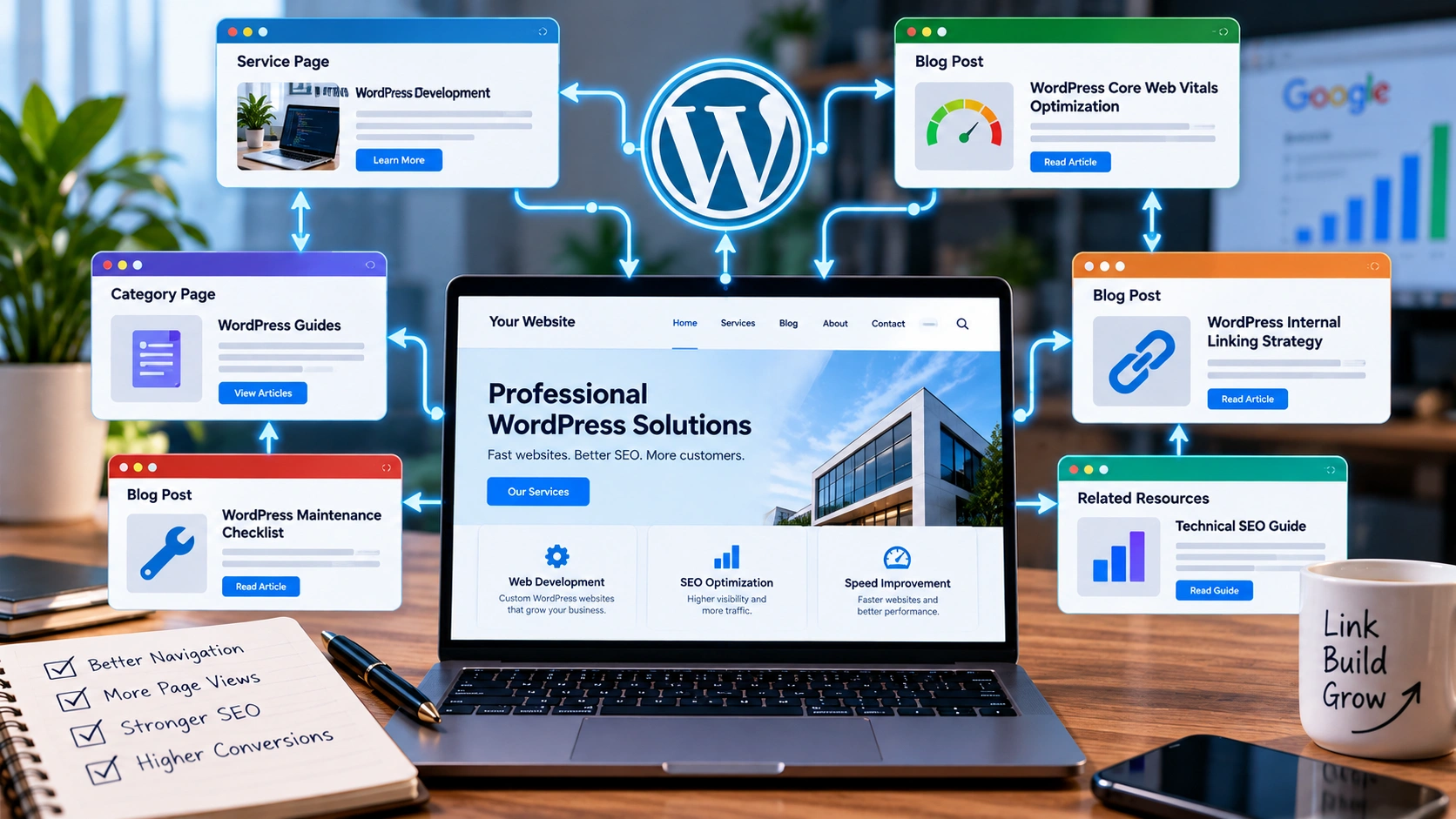
A good WordPress internal linking strategy does more than add links between random blog posts. It creates clear paths between your important pages so visitors can continue exploring useful information and search engines can understand how the different parts of your website relate to one another.
Internal links are links from one page of your website to another page on the same website.
They can appear inside blog posts, navigation menus, service pages, category pages, breadcrumbs, related-post sections and calls to action.
Although internal linking sounds simple, WordPress websites often become disorganized as they grow.
A site may begin with five pages and ten blog posts. A year later, it may contain hundreds of URLs, multiple categories, old landing pages and several services. New content gets published, but nobody checks whether existing pages link to it.
The result can be useful content that sits almost completely isolated from the rest of the website.
That is why internal linking should be treated as part of your website architecture rather than something added only after an article is finished.
Google recommends creating crawlable links and using anchor text that helps both users and search engines understand the destination. Its SEO Starter Guide is a useful reference when reviewing the basic structure of a website.
Why Internal Links Matter for WordPress SEO
Search engines discover pages through several methods.
XML sitemaps help.
External backlinks help.
But normal links between pages remain an important part of website discovery and navigation.
Imagine publishing an excellent WordPress guide but never linking to it from another article, your blog archive, navigation or any relevant service page.
The URL technically exists.
The XML sitemap may contain it.
But from the website's normal structure, the page appears almost disconnected.
This is commonly described as an orphan page.
Internal links help reduce that problem by creating direct paths to the content.
They also help visitors.
Someone reading a guide about improving WordPress performance may naturally want to continue to a more detailed article about WordPress Core Web Vitals optimization.
That link is useful because it answers the reader's likely next question.
That is a much stronger reason for adding a link than simply trying to fit another keyword onto the page.
Internal Linking and Website Structure Work Together
A well-organized website usually has different levels of importance.
For example, a service business might have:
a homepage,
a main services page,
individual service pages,
case studies,
blog categories,
and supporting articles.
Those pages should not exist as disconnected islands.
The website should create logical relationships between them.
A broad WordPress development page might connect to guides about performance, maintenance, contact-form problems, redesigns and security.
Those supporting guides can then point back toward the main WordPress service where appropriate.
This creates a topic structure that is useful to people and understandable to search engines.
On my own website, my services page acts as a broader entry point to individual areas such as WordPress development and SEO performance.
The blog can support those commercial pages with deeper informational content.
That relationship is important because informational visitors are not always ready to hire someone immediately.
They may first need an answer.
A helpful article can provide that answer and then offer a relevant next step.
Find Your Most Important Pages First
Before changing hundreds of internal links, identify which pages actually matter.
Not every URL deserves the same level of attention.
For a service business, high-priority pages may include core service pages, strong case studies, important guides and pages that already receive search traffic or backlinks.
For an online store, product categories and key product pages may take priority.
For a publisher, evergreen guides and topic hubs may be more important.
Create a short list of the URLs you want visitors to find easily.
Then ask a simple question:
How many useful pathways lead to each page?
If an important page receives no internal links except from the navigation menu, there may be opportunities to connect it contextually from relevant content.
For example, an article discussing slow websites has a natural reason to link to a website performance service.
An article about indexing problems may naturally connect to a guide about fixing technical SEO problems before publishing more content.
The destination should make sense in the context of the sentence.
Fix Orphan Pages
Orphan pages are URLs with no meaningful internal links pointing toward them.
They can appear for several reasons.
An old navigation link gets removed.
A category is deleted.
A redesign changes the website architecture.
A new article is published without updating older content.
A landing page is created for a campaign and forgotten later.
These pages may still exist in your sitemap or database, but visitors have no normal path to reach them.
Start by deciding whether the page deserves to remain.
If it contains valuable information, add links from relevant pages.
If it duplicates another page, consider consolidation.
If it is outdated and provides no value, removal may be more appropriate than creating artificial links merely to keep it alive.
This is where internal linking overlaps with technical SEO.
A large WordPress website can accumulate old pages, redirects, duplicate URLs and unnecessary archives over time.
I cover those broader issues in Fix Technical SEO Problems Before Publishing More Content.
Use Anchor Text That Describes the Destination
Anchor text is the clickable wording of a link.
Compare these two examples:
“Click here to learn more.”
and:
“Read my WordPress performance optimization guide.”
The second example tells the visitor what they will find before clicking.
Google's documentation also recommends descriptive link text rather than vague anchors.
That does not mean every internal link should contain an exact-match SEO keyword.
In fact, forcing the same phrase into every link can make the writing unnatural.
Use wording that makes sense in context.
You could link to the same WordPress performance article using phrases such as:
WordPress performance optimization,
improving Core Web Vitals,
speeding up a WordPress website,
or diagnosing WordPress performance problems.
The wording changes because the surrounding discussion changes.
That is normal.
Write for clarity first.
Avoid “Click Here” When a Better Anchor Exists
Generic phrases such as “click here,” “read more” and “learn more” are not always wrong, but they often waste an opportunity to tell readers what lies behind a link.
Consider this sentence:
“For more information about site performance, click here.”
A clearer version is:
“Read my guide to improving WordPress Core Web Vitals.”
The visitor understands the destination immediately.
This is also helpful for accessibility because people using assistive technologies may navigate between links independently of the surrounding paragraph.
Descriptive links make that experience easier.
Build Topic Clusters Instead of Random Connections
A useful internal linking structure often forms naturally around topic groups.
Suppose your main topic is WordPress development.
You might have supporting articles covering:
WordPress maintenance,
contact-form delivery,
website redesigns,
Core Web Vitals,
image optimization,
security,
plugin conflicts,
and technical SEO.
These pages are related, but they should not all link to each other just because they mention WordPress.
Link them when one article genuinely expands on another.
For example, a website redesign guide may link to performance optimization if redesigns commonly introduce large images or JavaScript.
A Core Web Vitals article may link to an image optimization article when discussing LCP.
A contact-form troubleshooting guide may link to WordPress development services when the problem requires deeper debugging.
This creates a useful cluster rather than a web of arbitrary links.
Your internal linking structure should help the reader move through a subject logically.
Link From Older Articles to New Content
Many WordPress site owners remember to link from new posts to old posts.
They forget the opposite direction.
When you publish a strong new article, review older posts covering related subjects.
Ask whether the new page provides information that readers of those articles would find useful.
If it does, add a contextual link.
This gives the new article incoming links immediately and prevents your site structure from becoming increasingly biased toward old pages.
For example, after publishing this internal linking article, older technical SEO content could reference it when discussing site architecture.
The Core Web Vitals article could potentially reference it where internal navigation or broader SEO structure is discussed.
A monthly or quarterly internal-link review makes this much easier than waiting several years.
Do Not Add Links Just to Increase the Number
There is no useful universal rule such as “every article needs exactly seven internal links.”
A short article may need three.
A comprehensive tutorial may naturally contain fifteen.
The correct number depends on how many destinations genuinely help the reader.
Adding dozens of unnecessary links can make a page distracting.
It can also reduce the usefulness of the content because every paragraph begins to look like an advertisement for another page.
Use internal links when they provide one of three things:
additional explanation,
a useful next step,
or access to a relevant service or resource.
If the link does none of those, reconsider it.
Keep Important Pages Within a Clear Navigation Structure
Contextual links inside articles are valuable, but they should not compensate for confusing navigation.
Important services should normally be easy to reach from major areas of the website.
Visitors should not need to read six blog posts before discovering that you offer the service being discussed.
Your main website architecture should communicate priorities.
For example, my services page groups my main commercial offerings so visitors can move from broad service discovery into a specific area.
Blog articles then provide deeper information around those services.
This creates two complementary navigation systems:
the main site structure for predictable navigation,
and contextual internal links for deeper exploration.
Watch for Redirected and Broken Internal Links
Internal-link audits should also check where links actually lead.
Imagine an old article links to:
/old-wordpress-service
That URL now redirects to:
/services/wordpress-development
The visitor may still arrive at the right page, but there is no reason to keep sending them through an unnecessary redirect if you control the link.
Update the internal link to the final preferred URL.
Broken links are even more important.
If an internal link leads to a 404 page, both users and crawlers reach a dead end.
WordPress sites often accumulate broken links after redesigns, deleted articles, changed permalinks or category restructuring.
Regularly crawling the website can reveal these problems at scale.
Be Careful With Automated Internal Linking Plugins
WordPress plugins can help identify linking opportunities.
That can save time.
However, fully automating the process can create poor results.
A plugin may see the phrase “WordPress SEO” twenty times and automatically link every occurrence to the same destination.
The result looks unnatural and may annoy readers.
Automated suggestions are more useful when treated as recommendations rather than commands.
Review the page.
Read the surrounding paragraph.
Ask whether the destination genuinely helps.
Then add the link manually or approve the suggestion.
The goal is not maximum link density.
The goal is a useful structure.
Internal Links Should Support Conversion Too
SEO is not the only reason internal links matter.
They can also move visitors toward commercial pages at the right moment.
Someone reading an article about Core Web Vitals has already demonstrated interest in website performance.
If they discover that their problem requires more technical work than they can perform themselves, a link to your WordPress and SEO services provides a logical next step.
The important part is timing.
Placing “hire me” links in every paragraph can damage trust.
Providing a relevant service link after solving part of the visitor's problem feels much more natural.
The article should deliver value first.
The commercial path should be available without dominating the content.
Use Internal Links to Strengthen New Content
When publishing a new WordPress article, do not consider the job finished after pressing Publish.
A stronger workflow is:
publish the article,
add links from the article to useful existing resources,
find older pages that should link to the new article,
confirm the new URL appears in the correct category,
make sure it is included in your sitemap,
and check that the article is reachable through normal navigation.
This gives each new piece of content a place within the existing site instead of allowing the blog to become a collection of disconnected posts.
Internal Linking Cannot Fix Weak Content
Internal links are useful, but they are not a substitute for a page worth visiting.
Adding ten links to an outdated, generic article does not suddenly make it valuable.
The destination still needs to answer its search intent well.
The same applies to service pages.
A service page should explain what is offered, who it is for, how the process works and why someone should trust the provider.
Internal links can help people find that page.
They cannot make the page persuasive once the visitor arrives.
That is why internal linking should be part of a broader strategy involving useful content, good technical foundations and clear conversion paths.
My guide to what makes a business website convert visitors into leads covers that commercial side in more detail.
A Practical WordPress Internal Linking Audit
You do not need to redesign your whole website to improve internal linking.
Start with your most valuable pages.
Check which pages link to them.
Look for orphan content.
Review broken links.
Replace unnecessary redirect chains.
Update vague anchor text where a descriptive phrase would be clearer.
Then look at your strongest blog posts.
Could they point to newer content?
Could they connect visitors to a relevant service?
Could related articles be grouped more logically?
Work outward from your highest-value content instead of trying to edit hundreds of URLs in one session.
For larger WordPress websites, crawling tools and Search Console data can help identify patterns, but human judgment still matters.
Software can tell you that two pages are linked.
It cannot always tell you whether the link is genuinely useful to the person reading the article.
Build Links for People First
A strong WordPress internal linking strategy should feel almost invisible.
Visitors should simply discover useful information at the moment they need it.
They should not feel as if they are being pushed around the website.
Search engines benefit from the same clarity.
Important pages become easier to discover.
Related topics become easier to understand.
Orphan pages become less common.
The overall site architecture becomes easier to maintain as the website grows.
Start with your important pages, connect genuinely related content, use descriptive anchor text and review older posts whenever you publish something new.
Internal linking is not an SEO trick.
It is part of building a website that makes sense.
If your WordPress site has hundreds of posts, orphan pages, confusing navigation or technical SEO problems, you can review my WordPress development and SEO services or read my guide on fixing technical SEO problems before publishing more content.