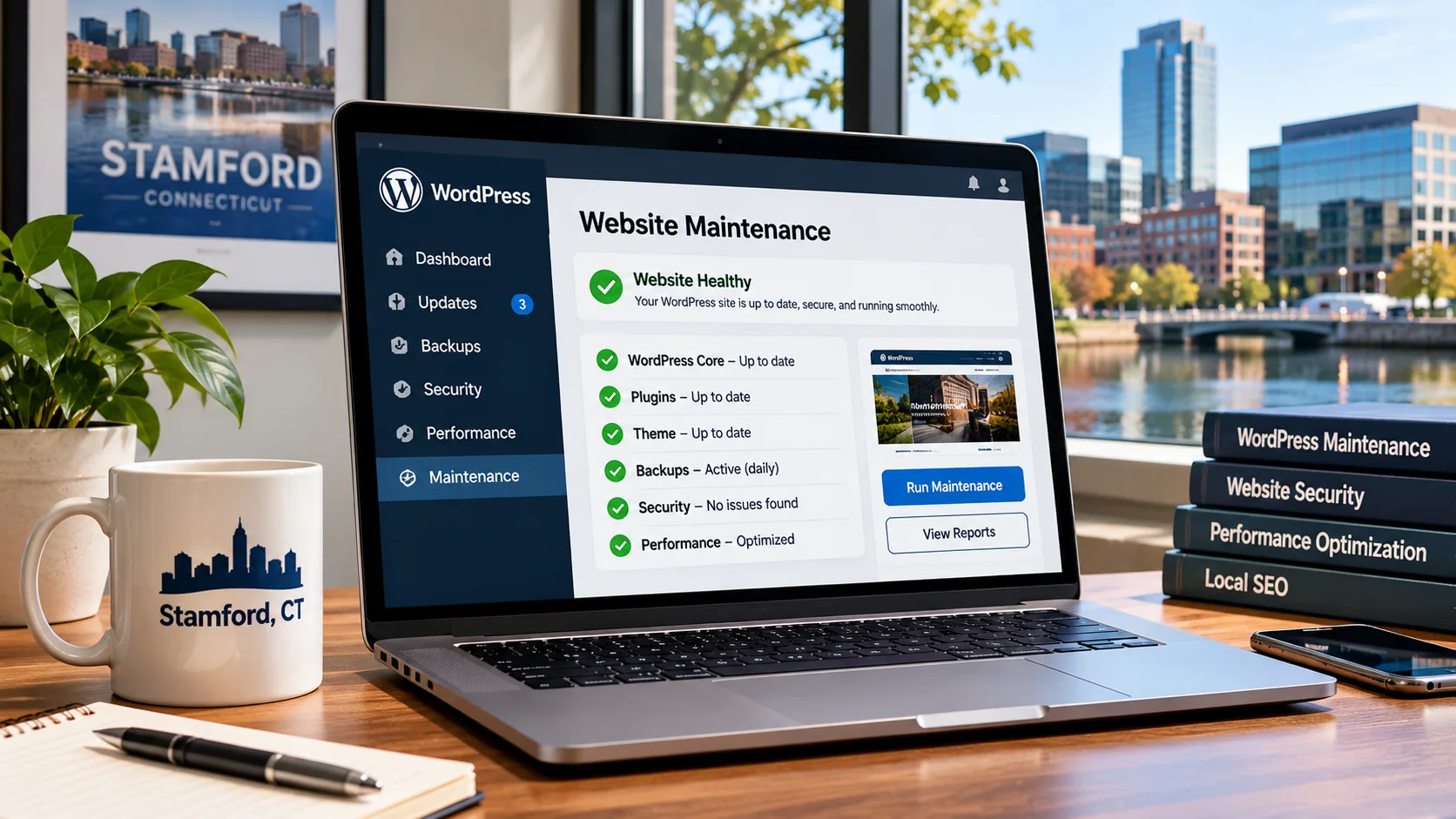
Your business website might look perfectly fine today. Your homepage loads, your contact information is visible, and customers can browse your services.
But what happens when an important WordPress plugin stops working, a contact form fails to deliver messages, or your website suddenly becomes unavailable?
For small businesses in Stamford, Connecticut, website problems can affect more than appearance. They can interfere with customer inquiries, appointment requests, purchases, and the overall experience people have when researching your company.
A roofing contractor could miss an estimate request. A local accounting firm might discover that its consultation form has been failing. A restaurant may have difficulty updating its menu or online reservation information.
WordPress website maintenance in Stamford, CT, means keeping your website updated, secure, functional, backed up, and ready for customers. It involves preventive checks as well as technical repairs when something stops working.
Whether your company operates in Downtown Stamford, Springdale, Glenbrook, or nearby communities such as Greenwich, Darien, and Norwalk, understanding website maintenance can help you make better decisions about your online presence.
Why WordPress Website Maintenance Matters for Stamford Businesses
For many local businesses, a website is one of the few customer-facing resources available around the clock.
Potential customers may discover your business through Google, referrals, social media, or online advertisements. Regardless of how they arrive, your website should help them find information and take the next step.
However, WordPress websites depend on several connected components.
These can include WordPress core, themes, plugins, PHP, databases, hosting infrastructure, and external integrations.
Over time, any of these components can require attention.
A plugin might introduce compatibility changes. A hosting configuration could affect website performance. A form integration may stop delivering notifications. An expired service or incorrect configuration could make part of the website unavailable.
The purpose of maintenance is to identify and address problems before they seriously interfere with business operations.
According to the official WordPress documentation, regular website maintenance includes updates, backups, content management, and checks of website functionality.
Source: https://wordpress.org/documentation/article/wordpress-site-maintenance/
For Stamford companies that rely on online inquiries, these tasks should be treated as part of normal business operations rather than occasional technical emergencies.
1. Keep WordPress Core, Themes, and Plugins Updated
Software updates are among the most visible parts of WordPress maintenance.
When you sign in to your WordPress dashboard, you may see notifications about available updates for WordPress itself, installed themes, or plugins.
These updates can address security vulnerabilities, resolve bugs, improve compatibility, or introduce features.
However, updating everything without reviewing compatibility can sometimes cause problems.
Consider a Stamford plumbing company using WordPress, Elementor, and several third-party extensions.
If one extension depends on an older version of another component, an update could affect the website's layout or functionality.
A professional maintenance process should include reviewing available updates, checking compatibility information, creating appropriate backups, and testing important functionality afterward.
For business-critical websites, a staging environment can be particularly useful.
Staging allows a developer to test changes on a separate copy before applying them to the public website.
This reduces the risk of discovering compatibility issues only after customers encounter them.
WordPress's official update guidance also recommends backing up the website and reviewing plugin and theme compatibility.
Source: https://wordpress.org/documentation/article/updating-wordpress/
2. Maintain Reliable Website Backups
Imagine running a Stamford home-improvement business and discovering that an update has damaged an important part of your website.
If you have a recent, restorable backup, recovery may be considerably easier.
Without one, rebuilding affected pages, recovering configuration settings, or restoring important information can become much more complicated.
A reliable WordPress backup should account for both website files and the database.
The files may contain themes, plugins, uploaded photographs, and custom code. The database stores information such as pages, posts, user accounts, and website settings.
Backing up only one part may leave you without everything required for recovery.
How often should a small business back up its website?
The appropriate frequency depends on how frequently information changes.
A relatively static business website might require a different backup schedule from an online store processing orders throughout the day.
For a WooCommerce store, backups and recovery procedures require particular care because restoring an older database can overwrite newer customer orders.
It is also useful to keep backups outside the primary hosting environment.
If a hosting account becomes inaccessible or compromised, separate backups can provide an additional recovery option.
Most importantly, backups should be tested periodically. A backup that cannot be restored is not a dependable recovery solution.
3. Monitor Website Security
WordPress is widely used, making secure configuration and maintenance important responsibilities for website owners.
Potential risks can include outdated plugins, weak passwords, compromised administrator accounts, vulnerable extensions, and incorrect server permissions.
Security maintenance should address the website as a complete system.
This can include reviewing administrator accounts, removing unused software, applying supported security updates, using strong authentication, and monitoring suspicious activity.
For Stamford professional-service businesses, protecting contact-form information and administrator access is especially important.
For example, a law firm or financial-services business should carefully consider how information submitted through its website is collected, transmitted, stored, and accessed.
Installing one security plugin does not eliminate every threat.
A well-maintained website needs appropriate software configuration, secure hosting practices, controlled access, and a practical incident-recovery plan.
If your website has already been compromised, repairing the visible damage may not be sufficient. The underlying entry point should also be investigated.
4. Check That Contact Forms Actually Work
One of the most overlooked WordPress maintenance problems is a contact form that appears functional but does not successfully deliver inquiries.
A visitor may complete the form, click Submit, and receive a confirmation message.
However, that does not necessarily mean the business owner received the email.
Email-delivery problems, expired integrations, changed settings, or plugin conflicts can interrupt the process.
For a Stamford construction company advertising free estimates, missed contact-form submissions could represent missed business opportunities.
This is why regular form testing should be part of website maintenance.
A practical test involves submitting a genuine test inquiry, confirming that the expected notification arrives, and checking whether the submission was recorded correctly.
If the website uses a CRM or other external system, verify that the information reaches its destination.
For businesses handling sensitive information, avoid unnecessarily storing personal data in multiple systems.
Contact forms should be evaluated as part of the entire inquiry process, not simply as visual elements on a page.
5. Improve Website Speed and Mobile Performance
A website can remain technically operational while gradually becoming slower.
Additional plugins, oversized images, inefficient scripts, database overhead, or hosting limitations may contribute to performance problems.
For a business serving customers in Stamford, slow pages can make it harder for visitors to browse services, view projects, or submit inquiries.
Mobile usability is particularly important.
A homeowner searching for roof repair or an individual looking for an appointment may be using a smartphone rather than a desktop computer.
Your website should make important information easily accessible on both.
What should performance maintenance include?
Start by checking important page types, including the homepage, service pages, contact page, and any booking or checkout functionality.
Review image dimensions, file sizes, caching behavior, scripts, and server response times.
Google's Core Web Vitals provide useful performance indicators, including Largest Contentful Paint, Interaction to Next Paint, and Cumulative Layout Shift.
You can review individual pages using Google PageSpeed Insights:
https://pagespeed.web.dev/
However, speed optimization should be based on actual findings.
Removing plugins randomly or enabling several caching tools simultaneously can create more problems than it solves.
A developer should identify the underlying bottleneck before recommending changes.
6. Protect Your Existing Local SEO Visibility
Website maintenance is not only about security and software.
Technical changes can also affect the way search engines discover and understand your pages.
For example, a poorly planned website migration might change URLs without appropriate redirects.
An SEO plugin configuration could unintentionally mark important pages as noindex.
A broken internal link might prevent visitors and search engines from reaching valuable content.
For Stamford businesses investing in local SEO, these problems deserve attention.
Essential SEO maintenance checks
Review whether important pages remain indexable and accessible.
Confirm that your preferred canonical URLs are correct, internal links point to functioning pages, and XML sitemap entries match the intended public website.
Monitor Google Search Console for changes in indexing status and search performance.
If your website has separate pages for services in Stamford, Greenwich, or Norwalk, make sure each provides genuinely useful information and represents areas your business actually serves.
Do not generate dozens of nearly identical location pages simply to target more keywords.
Google recommends clear URL structures, consistent canonical signals, and helpful content created for users.
Sources:
https://developers.google.com/search/docs/crawling-indexing/url-structure
https://developers.google.com/search/docs/crawling-indexing/consolidate-duplicate-urls
Maintaining technical SEO helps preserve a coherent website structure, although it cannot guarantee rankings or prevent every indexing fluctuation.
7. Keep Business Information and Service Pages Accurate
A Stamford business may expand its services, change opening hours, introduce new appointment options, or update its telephone number.
Your website should reflect these changes.
Outdated information can create confusion and unnecessary inquiries.
For example, a contractor might stop providing a particular service while its website continues advertising it.
A medical or professional-services office might move locations without updating every important page.
During maintenance, review the pages visitors depend on most.
Ensure that service descriptions accurately explain what your business offers.
Verify business contact details and update relevant project examples.
If your company operates across Fairfield County, keep service-area information current and specific.
Content maintenance is particularly valuable when it addresses actual changes in the business rather than rewriting pages only to make them appear newly published.
8. Monitor Website Availability and Technical Errors
A website can experience temporary outages without anyone noticing immediately.
Hosting problems, server resource limits, expired services, or application errors may cause individual pages or the entire website to become unavailable.
Website monitoring can help identify these issues.
A monitoring system may check whether the website responds successfully and notify the responsible person when a problem is detected.
However, uptime monitoring alone is not enough.
A website can return a successful HTTP response while an important function remains broken.
For this reason, maintenance should include checks of customer-facing features such as forms, booking systems, navigation, and checkout processes where applicable.
If an issue is detected, the response should begin with identifying its cause.
Restarting a service or disabling a plugin may restore functionality temporarily, but the underlying problem may still need attention.
9. Understand WordPress Maintenance Costs in Stamford, CT
WordPress maintenance costs vary according to website complexity, the services included, and the level of support required.
A simple five-page company website has different needs from a WooCommerce store, a membership platform, or a heavily customized WordPress installation.
Some maintenance plans cover only software updates and basic monitoring.
Others include backups, technical troubleshooting, performance optimization, security reviews, content changes, and allocated developer time.
Published Connecticut-oriented maintenance providers show a broad range of plans, from low-cost update-only services to several hundred dollars per month for more comprehensive support.
Before choosing a plan, ask what work is actually included.
Maintenance service | What to clarify |
|---|---|
Plugin and theme updates | Are compatibility tests included? |
Backups | How often, where stored, and are restores tested? |
Security monitoring | What checks and incident response are provided? |
Website changes | How many hours or requests are covered? |
Performance | Are speed improvements included or billed separately? |
Emergency repairs | What response commitments apply? |
Also ask who controls the hosting account, domain registration, backups, and administrator access.
Your business should retain appropriate ownership and access to its website assets.
A maintenance provider should clearly explain exclusions and additional charges rather than leaving important responsibilities ambiguous.
10. Choose a WordPress Maintenance Specialist Who Understands Your Business
WordPress maintenance requires more than clicking Update inside the dashboard.
The right developer should be comfortable investigating PHP errors, resolving plugin conflicts, checking databases, reviewing browser errors, and understanding how technical changes affect business operations.
For example, a Stamford roofing company may prioritize its estimate-request process and project galleries.
A professional-services company may need reliable appointment forms, secure handling of inquiries, and accurate informational pages.
An online retailer may require careful deployment procedures that protect active orders.
A good maintenance process should recognize these differences.
When evaluating a developer, ask about previous WordPress experience, backup practices, communication, troubleshooting procedures, and how changes are tested.
Also discuss how work is documented.
Clear maintenance records can help you understand what changed, why it changed, and whether further attention is required.
Can a Remote Developer Maintain a WordPress Website in Stamford?
Yes. Many WordPress maintenance tasks can be completed remotely.
A developer does not necessarily need to be physically located in Connecticut to perform software updates, diagnose PHP errors, review technical SEO, or improve website performance.
What matters is having appropriate authorization, secure access, technical experience, and a reliable communication process.
Remote arrangements can also give businesses access to specialists beyond their immediate geographic area.
However, business owners should verify the developer's experience and agree on responsibilities before granting administrator or hosting access.
Access should be limited to what is needed for the work, and sensitive credentials should be exchanged securely.
Frequently Asked Questions About WordPress Maintenance in Stamford
How often should a WordPress website be maintained?
Important functionality should be monitored regularly, while software updates and deeper technical checks should follow a schedule appropriate to the website's complexity and security requirements.
Business-critical websites may require more frequent monitoring than simple informational sites.
Can I maintain my own WordPress website?
Yes. Website owners can perform many basic tasks through the WordPress dashboard.
However, complex plugin conflicts, server errors, compromised installations, and database problems may require professional technical support.
Is WordPress maintenance different from website redesign?
Yes. Maintenance focuses on preserving and improving an existing website's functionality, security, and reliability.
Redesign involves more substantial changes to the website's appearance, structure, user experience, or underlying implementation.
Some projects require both services.
Does website maintenance improve Google rankings?
Maintenance can help address technical issues affecting accessibility, performance, indexing, and usability.
However, rankings depend on many factors, and maintenance alone does not guarantee improved positions.
Do Stamford businesses need a local WordPress developer?
Not necessarily. WordPress maintenance can often be managed remotely by a qualified professional.
Choose based on relevant experience, communication, security practices, and the actual support your website requires.
Final Thoughts: Make WordPress Maintenance Part of Your Business Plan
A website should help your business operate, not create unpredictable technical problems.
For Stamford companies relying on WordPress, regular maintenance can help reduce avoidable disruptions and keep important customer-facing functionality working correctly.
The most useful maintenance plan is one that fits the website's actual role.
A local service business may need dependable contact forms, fast mobile pages, and accurate service information.
An e-commerce business may require more frequent backups, checkout testing, and careful deployment practices.
Whatever your business model, the objective remains the same: maintain a website that is reliable, useful, and easier to manage.
Need WordPress Website Maintenance for Your Stamford Business?
I'm Amarildo Prendi, an independent WordPress developer based in Albania, working remotely with businesses internationally.
My experience includes managing WordPress websites, troubleshooting technical issues, working with Elementor and WooCommerce, and improving website performance and functionality.
If your Stamford business needs help with WordPress maintenance, plugin conflicts, website performance, or technical improvements, I can review your current setup and recommend a practical approach.
WordPress development services:
https://amarildoprendi.com/services/wordpress-development
Discuss your website requirements:
https://amarildoprendi.com/contact