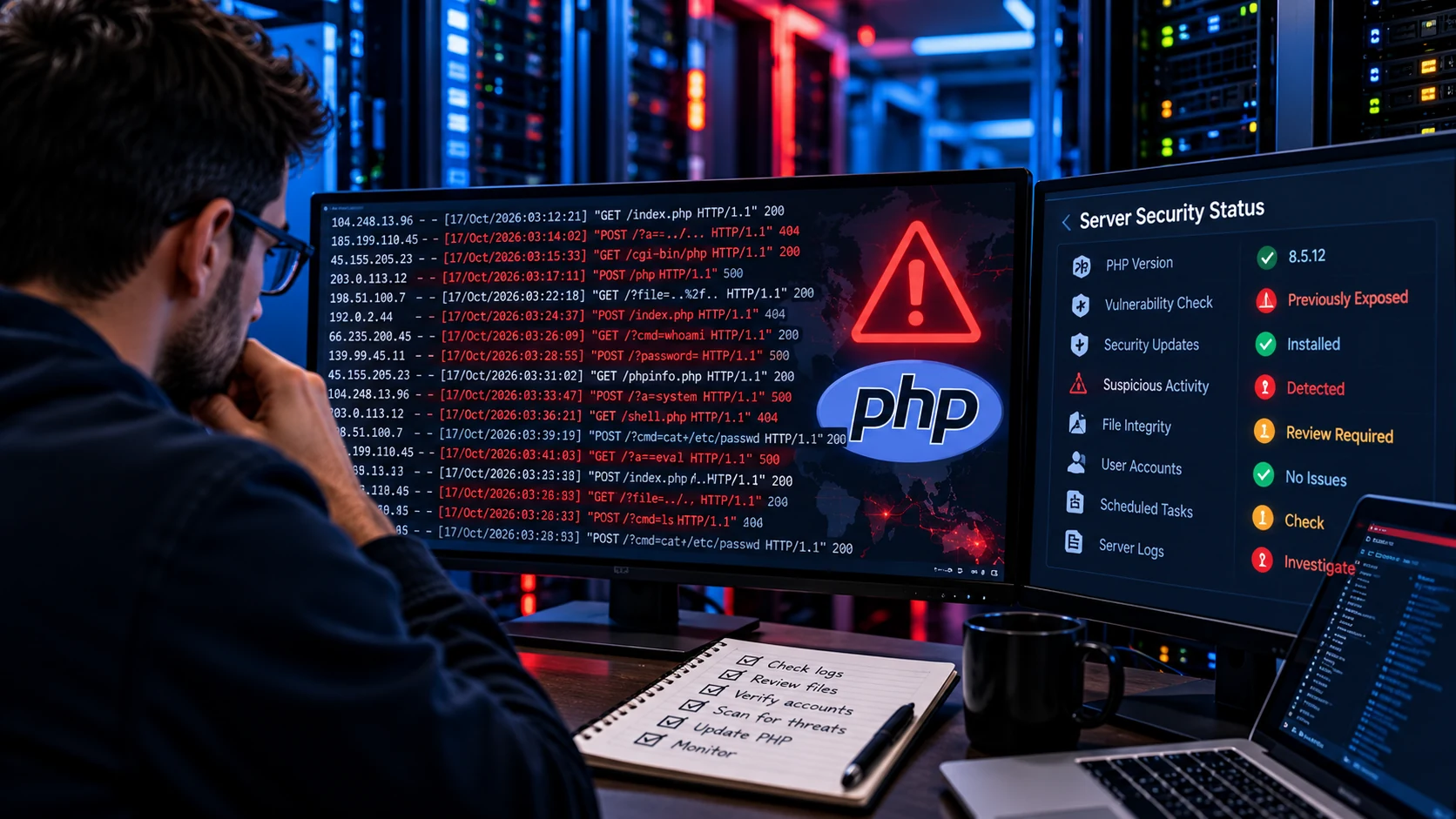
Companies around the world are urgently updating PHP after the disclosure of two critical remote code execution vulnerabilities known collectively as PHP2Shell.
But a new development changes the question businesses should be asking.
Instead of only asking:
“Have we patched PHP?”
Organizations may also need to ask:
“Was our server attacked before we installed the patch?”
On October 22, 2026, Amazon Threat Intelligence reported that it identified a PHP2Shell exploitation attempt dating back to October 17, 2026.
That was four days before the vulnerabilities were publicly disclosed and patched on October 21.
This matters because updating a vulnerable server protects it from future exploitation of the patched weakness.
It does not automatically prove that nothing happened while the vulnerable version was still online.
For companies, agencies and government organizations running PHP-based websites or applications, PHP2Shell should therefore be treated as both a patching problem and a potential incident-response problem.
What Changed With the Latest PHP2Shell News?
The original PHP2Shell disclosure was already serious.
The vulnerabilities, tracked as CVE-2026-109618 and CVE-2026-109619, can allow unauthenticated remote code execution against vulnerable PHP environments.
Google Cloud's technical response to the PHP vulnerabilities identifies affected versions as PHP 5.4 through PHP 8.5.11.
Patched releases include PHP 8.2.35, 8.3.36, 8.4.27 and 8.5.12.
But AWS has now added another important piece of information.
According to Amazon Threat Intelligence, its MadPot threat-intelligence infrastructure observed an exploitation attempt on October 17.
That means hostile activity associated with PHP2Shell may have begun before many administrators even knew the vulnerability existed.
This significantly changes how I would approach a vulnerable production server.
Patch first.
Then determine whether additional investigation is justified.
The NSA Is Now Warning Organizations About PHP2Shell
PHP2Shell has also attracted the attention of the United States National Security Agency.
The NSA issued an advisory urging organizations to address the vulnerabilities and warning that PHP's widespread use creates significant opportunities for exploitation.
This is no longer a small PHP developer issue.
PHP runs underneath huge numbers of business websites, public-sector applications, content management systems and web platforms.
Organizations that may need to investigate include companies using WordPress, WooCommerce, Drupal, Joomla, Magento, Laravel, Symfony and custom PHP applications.
The vulnerability exists in PHP itself, not simply in one optional WordPress plugin or theme.
Attacks Are Already Being Seen in the Wild
The AWS report is not the only warning.
Palo Alto Networks Unit 42 says it has seen exploitation in the wild involving the PHP vulnerabilities.
Its PHP2Shell threat brief also says that at least one European government took its website offline as a precaution.
That makes the situation especially relevant for organizations that operate important public-facing infrastructure.
A vulnerable website does not need to look broken to have a security problem.
An attacker who achieves remote code execution may attempt to remain hidden.
The website might continue loading normally while something unexpected is occurring underneath it.
How Can a Company Know Whether Its PHP Server Was Exposed?
Start by establishing the actual PHP runtime used by the public application.
That sounds straightforward, but production environments can be complicated.
A server may have several PHP versions installed.
The command:
php -vmight show the command-line PHP version without proving that the public website uses the exact same runtime.
A business needs to determine which PHP version is processing actual web requests.
The question becomes even more complicated when applications run through PHP-FPM, Apache, LiteSpeed, containers, Kubernetes or cloud services.
Google Cloud specifically advises organizations using custom containers to rebuild and redeploy those containers with patched PHP versions rather than assuming that patching the host system updated the PHP runtime inside the container.
You can read Google's platform-specific remediation guidance in its official PHP2Shell response.
Check Whether Your PHP Version Was Vulnerable
If production was running any PHP version from 5.4 through 8.5.11, the environment falls within the affected range identified in current guidance.
Patched releases are:
PHP 8.2.35
PHP 8.3.36
PHP 8.4.27
PHP 8.5.12
Organizations running PHP 8.1 or earlier face another problem.
Those branches have reached end of life, so PHP is not releasing the same upstream patches for them.
They should be migrated to a supported PHP branch instead of remaining indefinitely on an obsolete runtime.
I covered that broader upgrade problem in my guide to performing a PHP security audit on outdated PHP environments.
Patching a Vulnerability Does Not Erase the Past
Imagine that a server was vulnerable from October 17 until October 21.
The organization updates PHP on October 21.
The vulnerability is now closed.
That is good.
But there is still a separate question:
Was anything done to the server during the vulnerable period?
The patch cannot answer that.
This distinction is important in security work.
Remediation addresses the weakness.
Investigation tries to determine whether that weakness was previously abused.
Depending on the importance of the system and its exposure, businesses may need to review evidence from before the patch was installed.
Start With Web-Server Logs
Access logs can show requests reaching the server.
Administrators should look for unusual request patterns, unexpected endpoints, repeated malformed requests and traffic from suspicious sources.
One strange request alone does not prove compromise.
Automated scanners constantly probe public websites.
What matters is identifying activity that deserves deeper investigation and correlating it with other evidence.
Apache, Nginx, LiteSpeed and cloud platforms all expose logs differently.
The important thing is that businesses retain enough historical data to investigate what happened before an emergency.
If logs are deleted every few hours or were never enabled, incident investigation becomes much harder.
Check PHP and Application Error Logs
PHP errors may provide another source of evidence.
Investigators should look for unusual fatal errors, memory problems, unexpected crashes and errors that coincide with suspicious web requests.
Application logs can also reveal unexpected behavior.
For WordPress, Laravel, Drupal and custom PHP applications, useful evidence may exist outside the primary web-server logs.
The purpose is not to search for one magical error message that proves PHP2Shell exploitation.
The purpose is to build a timeline.
What happened?
When did it happen?
What process handled it?
Did anything change afterward?
Review Files for Unexpected Changes
A successful attacker may attempt to place files on the system.
That could include malicious PHP scripts, modified application files or other persistence mechanisms.
Important environments should therefore be checked for unexpected changes.
Compare production files against known-good versions where possible.
On WordPress, core files can be checked against official distributions.
Custom plugins and themes require more careful review because there may be no public reference version available.
Pay particular attention to files modified recently without an expected deployment or update.
A modification timestamp alone is not proof of malicious activity, but it can help prioritize investigation.
Look for Unexpected Administrator Accounts
Attackers who obtain control over an application sometimes create an easier way to return later.
For a WordPress installation, review administrator accounts.
For a custom PHP platform, review privileged users.
For the server itself, review local accounts, SSH access and cloud identity permissions where applicable.
Ask a simple question:
Can every privileged account be explained?
Companies that have used several agencies, freelancers or employees over many years often discover old accounts that should have been removed regardless of PHP2Shell.
A security incident is a good reason to clean up that access.
Check Scheduled Tasks and Persistent Processes
A compromised server may contain persistence outside the PHP application itself.
Administrators may need to inspect scheduled tasks, cron jobs, startup services and running processes.
Unexpected jobs deserve investigation.
The goal is to determine whether something would allow an attacker to regain access after the original PHP vulnerability has been patched.
This is why simply updating PHP and walking away may be insufficient for a high-value system that was exposed during an active exploitation window.
Review Outbound Network Activity
Web servers usually receive traffic.
But compromised systems may also initiate unexpected outbound connections.
Depending on the hosting environment, review network telemetry, firewall logs and cloud monitoring for connections that do not match normal application behavior.
Again, context matters.
A WordPress website contacting an expected API is normal.
A server unexpectedly communicating with an unfamiliar external host may deserve closer inspection.
Rotate Sensitive Credentials When Compromise Is Suspected
If investigation suggests that an attacker may have achieved code execution, changing only the PHP version may not be enough.
Credentials accessible to the application may need to be rotated.
Depending on the system, these could include database credentials, API keys, SMTP credentials, cloud credentials, deployment tokens and administrator passwords.
Do not rotate everything blindly without understanding dependencies.
A badly coordinated credential rotation can create a second outage.
For important business infrastructure, changes should be planned and verified.
Cloudflare Protection Helps, but Do Not Skip the Patch
Cloudflare announced that it deployed WAF protections against PHP2Shell ahead of the public disclosure.
That is useful for organizations using Cloudflare's protection layer.
But a web application firewall should still be considered an additional defense rather than permission to leave vulnerable PHP running.
The underlying PHP runtime should be updated.
Defense in depth is valuable precisely because no single control should be expected to solve every security problem.
There Is Now a PHP2Shell Scanner
Another development on October 22 is the appearance of a dedicated open-source PHP2Shell scanner.
Help Net Security reports that Searchlight Cyber released a tool intended to test whether hosts are exposed to CVE-2026-109618 and CVE-2026-109619.
Tools like this can help security teams identify exposure.
However, organizations should be careful about how vulnerability testing is performed against production systems.
Scanning should be authorized, controlled and understood.
The existence of a scanner also means that identifying exposed systems is becoming easier.
That helps defenders.
It can also mean that the window for leaving an unpatched server online becomes even less comfortable.
WordPress Companies Should Not Assume a Plugin Update Fixed This
One mistake I expect to see during this incident is businesses opening WordPress, updating every plugin and assuming PHP2Shell has been handled.
That is not enough.
PHP2Shell affects the PHP runtime.
WordPress runs on top of PHP.
The website can therefore have fully updated:
WordPress core.
Plugins.
Themes.
WooCommerce.
Security plugins.
And still use a vulnerable PHP runtime.
Your hosting environment needs to be checked separately.
This distinction is especially important for small companies that outsource website maintenance and assume every technical layer is handled by the same person.
Agencies With Many Client Sites Face a Bigger Problem
The risk becomes more complicated for agencies managing dozens or hundreds of websites.
You need an inventory.
Which customers use PHP?
Which PHP versions are running?
Which hosting providers are involved?
Which installations have already been patched?
Which installations run unsupported versions?
Which environments need compatibility testing before upgrading?
Which customers were potentially exposed before patching?
Without a structured inventory, teams can easily patch the obvious websites while forgetting old client installations, staging servers or legacy applications.
This is where systematic technical maintenance becomes much more valuable than reacting site by site.
Government Websites Deserve Particular Attention
Government websites and public services frequently operate legacy systems.
Some may have been built many years ago and upgraded cautiously because they support important services.
That can create exactly the environment where outdated PHP survives longer than intended.
Unit 42's report that at least one European government took a website offline as a precaution shows why the PHP2Shell issue matters beyond ordinary commercial websites.
When an application serves citizens, contains sensitive information or connects to internal services, risk assessment should consider the importance of the system rather than just whether the homepage currently works.
When Should You Bring in a Developer?
You may need professional help if your organization cannot confidently answer questions such as:
What PHP version is production actually running?
Was that version vulnerable?
When was it patched?
Were all PHP workers restarted?
Were container images rebuilt?
Could the application safely move to a supported PHP version?
Are there suspicious changes in the logs?
Were application files modified unexpectedly?
Are there unexplained administrator accounts?
Does the company have a reliable backup from before the incident?
Those are practical questions.
They are also exactly where a developer who understands the application, hosting environment and migration risks can help.
How I Can Help Companies Respond to PHP2Shell
If your company runs WordPress, WooCommerce, Drupal, Magento, Laravel, Symfony or a custom PHP application, I can help review the technical environment and determine what needs attention.
My role is not simply to click an update button.
I can help identify the PHP version actually running in production, review compatibility with supported PHP releases, prepare a safer migration, troubleshoot issues after an upgrade, examine relevant application and server evidence, test critical website functions and help reduce the technical debt that allowed an old runtime to remain online.
You can see my broader web development services or review my website maintenance options.
If PHP2Shell is the immediate concern, you can also read my earlier overview of the critical PHP vulnerabilities and the required PHP2Shell updates and my guide to auditing outdated PHP environments.
Together, those guides cover the vulnerability, the upgrade problem and the investigation businesses should consider after exposure.
Do Not Assume “Patched” Automatically Means “Safe”
Installing the PHP2Shell security update should be a priority.
But today's AWS report creates a second question that companies should not ignore.
If exploitation activity existed four days before public disclosure, was your internet-facing PHP system vulnerable during that window?
For a low-risk website, the answer may lead to a relatively simple review.
For a production system containing customer information, processing payments or supporting government services, the investigation may need to go considerably deeper.
If your organization is unsure whether its PHP website was exposed, contact me.
Send me the website, hosting environment and PHP version if you know it. I can help determine what should be checked, what needs upgrading and whether the application requires a deeper technical review.
The worst time to discover that nobody understood your PHP environment is after the next critical security advisory.