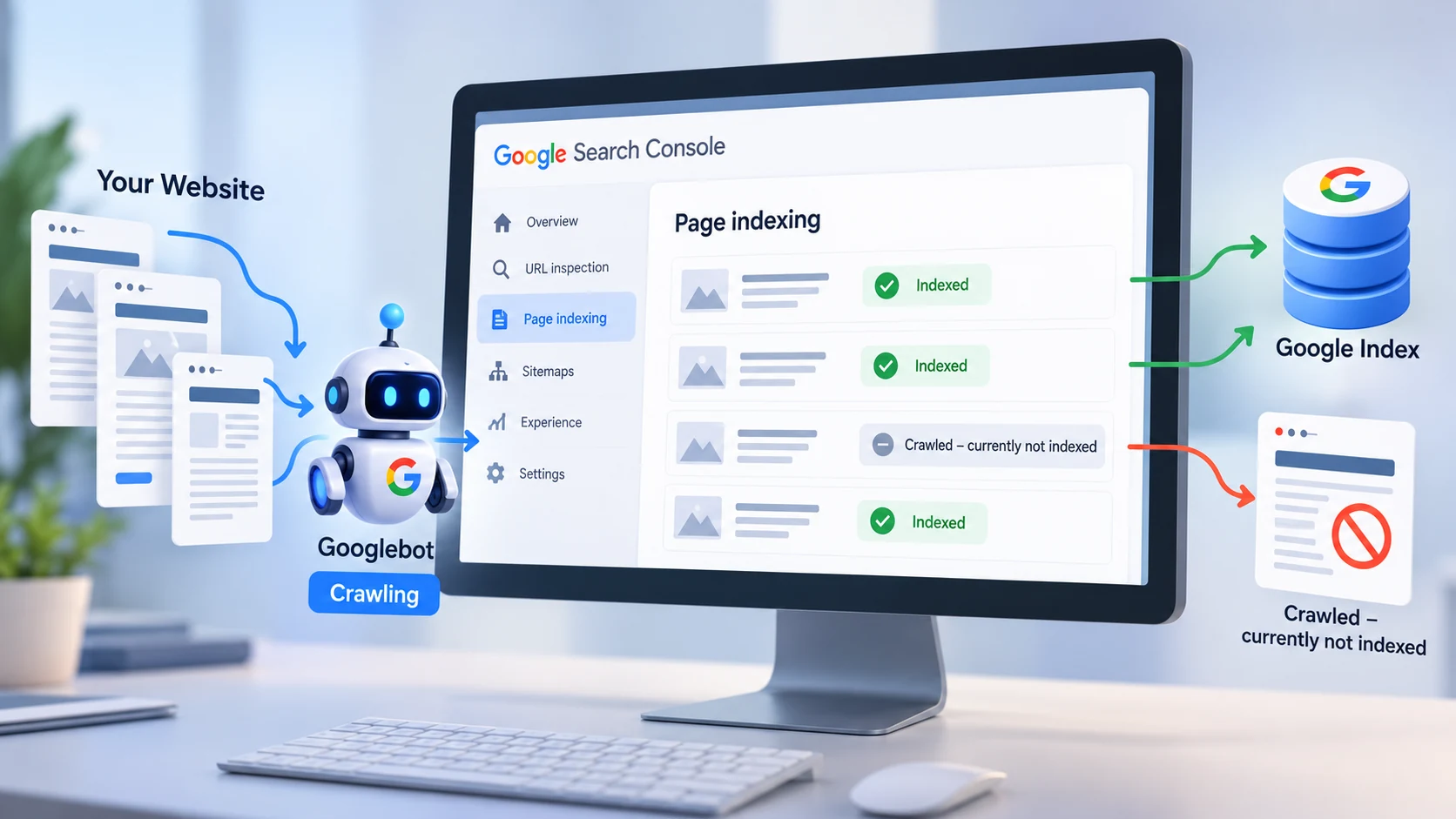
Crawled – currently not indexed is one of the most confusing messages you can find in Google Search Console because Google has already visited the page, yet the page still does not appear in its search index.
That can make the problem feel technical. You may assume your sitemap is broken, Googlebot is blocked or you need to keep clicking Request Indexing until something changes.
That is often the wrong place to start.
Google explains in its Page indexing report documentation that a page in this state has been crawled but is currently not indexed. It may or may not be indexed later.
The important word is currently.
This status does not automatically mean the page has a penalty. It also does not mean every affected URL needs to be fixed.
The first question should be much simpler.
Does this page actually deserve to be indexed?
That decision changes everything that comes next.
What Does Crawled – Currently Not Indexed Mean?
Crawling and indexing are different stages.
Google first needs to discover a URL. Googlebot can then request that URL and examine the page. After processing what it finds, Google decides whether the page should become part of its index.
A page can therefore be completely accessible to Google while still remaining outside the index.
That is exactly what can happen with “Crawled – currently not indexed.”
Google reached the page. The crawl itself happened. The URL simply was not added to the index at that time.
An indexed page can potentially appear in search results. A page that remains outside the index cannot rank normally because Google has not selected it for inclusion.
This distinction is important because it changes the troubleshooting process.
If Google cannot crawl the page, you investigate accessibility.
If Google crawled it successfully but did not index it, you need to look more closely at the page itself, its relationship with other pages, and the signals your website gives Google.
Do Not Try to Get Every URL Indexed
One of the biggest SEO mistakes is treating the number of indexed URLs as a score that should always reach 100 percent.
Google specifically says you should not expect every URL on a website to be indexed.
Some URLs should remain outside search results.
An internal search results page, a duplicate parameter URL, an outdated test page or an unnecessary filtered variation may have no useful reason to appear in Google.
For example, these two URLs could show effectively the same content:
example.com/services
example.com/services?source=newsletter
There is usually little benefit in having both versions indexed separately.
The same issue becomes much larger on ecommerce websites, directories and content-management systems that automatically generate filters, archives, tags, pagination and parameters.
Before trying to “fix” an excluded page, decide whether the URL belongs in search at all.
If it does not, exclusion can be the correct outcome.
If it is an important service page, product page, case study or useful article, then it deserves closer investigation.
Start With URL Inspection
When an important page is not indexed, inspect that specific URL in Google Search Console.
Do not diagnose the problem only from the total number shown inside the Page indexing report.
URL Inspection can help you understand what Google saw when it processed the page.
Check whether Google can access the URL, whether indexing is allowed, which canonical Google selected, which canonical your page declares and whether the live page behaves differently from the version Google previously crawled.
This distinction matters because your website may have changed since Google last visited it.
For example, you might have removed an accidental noindex directive yesterday while the Search Console report still reflects an older crawl.
Testing the live URL helps separate an old problem from a problem that still exists today.
Check the Canonical Before Rewriting the Content
A page can contain excellent content and still send confusing canonical signals.
Canonicalization is the process Google uses to choose a representative URL when multiple pages contain duplicate or very similar content.
Google’s current canonicalization documentation explains that Google can consider several signals when deciding which URL should represent a group of similar pages.
Your declared canonical is important, but it should not contradict the rest of the website.
Imagine that you want this URL indexed:
example.com/technical-seo-audit
The page correctly declares itself as canonical.
However, your sitemap contains:
example.com/services/technical-seo
Most of your internal links also point to the second URL.
Now your website is sending mixed signals.
The canonical points one way.
The sitemap points another way.
Internal links point somewhere else.
A cleaner setup makes the preferred URL consistent across the canonical tag, internal links, sitemap and redirects.
I explain this problem in more depth in my guide to WordPress canonical URLs and duplicate-content issues.
Look for Pages That Are Too Similar
A common indexing problem appears when a website publishes several pages that are technically different but provide almost the same value.
Imagine a company creates separate articles titled:
“How to Improve Website SEO”
“Ways to Improve Your Website SEO”
“Website SEO Improvement Guide”
“Best Methods for Improving Website SEO”
If all four pages repeat the same advice, changing the title and a few paragraphs does not necessarily make them four valuable resources.
The same pattern appears with service pages and location pages.
Creating dozens of pages by replacing only the city name while keeping nearly identical text is unlikely to build strong topical authority.
Google’s people-first content guidance asks whether content contains original information, useful analysis, substantial value and a satisfying answer for the reader.
That is a much better standard than simply asking whether a page contains enough words.
There is no Google rule saying an article needs 1,000, 1,500 or 2,000 words to become indexable.
A short page can be valuable.
A long page can still say almost nothing.
The goal should be to make each important page necessary.
Ask What This Page Adds That Another Page Does Not
This is the question I would ask before expanding a page from 500 words to 2,000 words.
What does this URL uniquely contribute?
A useful service page could explain the actual process, deliverables, limitations, pricing logic, technologies used and the problems the service solves.
A useful case study could explain the original problem, technical decisions, implementation process and verified results.
A useful tutorial could provide screenshots, code examples, troubleshooting paths and explanations that save the reader from repeating the same research elsewhere.
Simply making a page longer does not fix weak positioning.
If another page on your own website already answers the same search intent better, merging the two pages may be stronger than trying to force both into the index.
Review Your Internal Links
An important page should not exist as an island.
Google discovers pages partly through links, but internal links also help explain the relationship and hierarchy between sections of a website.
Consider two articles.
One is linked from your homepage, an SEO service page and three related guides.
The other exists only in the XML sitemap and has no meaningful internal links.
Even if both pages are technically crawlable, your site architecture sends very different signals about their importance.
Important pages should be connected naturally from relevant content.
That does not mean adding dozens of exact-match keyword links.
It means giving readers a logical next step.
An article about indexing problems can naturally link to a canonicalization guide.
A guide about technical SEO can link to a technical SEO audit.
A Core Web Vitals article can link to a website-performance service.
The link should make sense even if Google did not exist.
That is usually a good test of whether the internal link is actually useful.
Check Whether the Page Is in Your XML Sitemap
Your XML sitemap should contain the canonical URLs you actually want search engines to discover and index.
It should not become a database dump of every URL your website can generate.
Important indexable pages should normally appear in the sitemap.
Redirected URLs should not.
404 pages should not.
Pages intentionally marked noindex should not.
Duplicate parameter versions generally should not.
If your sitemap contains one version of a page while your canonical tags and internal links prefer another version, clean up the inconsistency.
A sitemap helps Google discover URLs, but inclusion does not guarantee indexing.
Google still decides whether a page belongs in its index.
Check Noindex, Robots and HTTP Responses
“Crawled – currently not indexed” often points beyond a simple crawl problem, but technical checks should still be part of the diagnosis.
Confirm that the important URL returns HTTP 200.
Check that it does not contain an accidental noindex directive.
Check that the canonical does not point to an unrelated page.
Make sure the URL does not immediately redirect somewhere else.
Confirm that Googlebot is not receiving substantially different content from normal users.
Review robots.txt too, but remember what it actually controls.
Robots.txt manages crawling. It is not the preferred method for removing a page from Google’s index.
A blocked URL can also prevent Google from seeing directives inside the page itself.
Technical SEO becomes much easier when each tool has one clear job.
My guide on fixing technical SEO problems before publishing more content covers these checks in a broader site-audit context.
Thin Content Is Not Just About Word Count
The phrase “thin content” often creates the wrong mental picture.
People imagine a 300-word page and assume turning it into a 1,500-word page will solve the problem.
That is not necessarily true.
A page can contain 2,000 words of generic information that already exists on hundreds of other websites.
Another page might contain 600 words, an original test, a useful screenshot and a precise solution to a difficult problem.
The shorter page may provide much more value.
When reviewing an important non-indexed page, look for information gain.
Does the page show something?
Does it explain a decision?
Does it answer a question competitors leave unanswered?
Does it include evidence?
Does it connect the problem with a practical solution?
Does it help the visitor make a better decision?
Those improvements matter far more than adding paragraphs simply to increase the word count.
Check Whether JavaScript Is Hiding Important Content
Modern websites sometimes depend heavily on JavaScript.
Google can render JavaScript, but that does not mean every implementation gives search engines equally clear signals.
Important page content, internal links and canonical information should be implemented as clearly as possible.
This becomes especially important with single-page applications, client-side navigation and dynamically inserted content.
If your main article content appears only after an API request or interaction, inspect the rendered version rather than assuming Google receives the same page you see in your browser.
The simplest architecture is often the easiest to debug.
For content and service websites, server-rendered HTML can remove many unnecessary variables from indexing investigations.
Do Not Keep Pressing Request Indexing
Request Indexing is useful, but it is not a repair tool.
If Google crawled a weak page yesterday and you submit the exact same page again today, you have not solved the underlying reason it was excluded.
First make a meaningful improvement.
Fix the canonical.
Improve the content.
Merge duplicate pages.
Add useful internal links.
Correct technical directives.
Update the sitemap if necessary.
Then asking Google to reevaluate an important URL can make sense.
Google’s canonical troubleshooting guidance also recommends reserving indexing requests for important URLs after relevant fixes because the feature is subject to quotas.
Repeated submission is not a substitute for making the page better.
Know When to Consolidate Instead of Improve
Sometimes the best indexing fix is deleting the page you were trying to save.
Suppose two articles compete for exactly the same purpose.
One attracts links, has better content and already ranks.
The other contains little unique information and remains outside the index.
Creating another 1,000 words for the weaker page may simply create more overlap.
A stronger approach could be to move genuinely useful material into the better page and redirect the redundant URL when appropriate.
This gives users one complete resource rather than two weaker ones.
SEO is not about maximizing the number of URLs.
It is about making the URLs that matter as useful and clear as possible.
Give Google Time After the Fix
Even after you make the correct changes, indexing is not instant.
Google needs to recrawl and reprocess the URL.
Canonical decisions can also take time to change after a site sends new signals.
Avoid rebuilding the page every day because Search Console has not updated immediately.
Make the change carefully, confirm that the live version is correct and then monitor it.
Constantly changing URLs, titles, canonicals and page structure can make troubleshooting harder because you no longer know which change produced which result.
A Better Way to Handle Large Groups of Non-Indexed Pages
If Search Console shows hundreds or thousands of excluded URLs, do not open them randomly one by one.
Look for patterns.
Perhaps most URLs come from one category archive.
Perhaps they contain the same query parameter.
Perhaps all affected articles were created from one old template.
Perhaps an entire service section has weak internal linking.
Perhaps the sitemap includes URLs that should never have been there.
Finding the shared cause lets you fix the system instead of manually patching every URL.
This is one reason technical SEO audits should examine templates and URL groups, not only individual pages.
Crawled – Currently Not Indexed Is a Symptom
The status itself is not the real problem.
It is information.
Google crawled the page and did not currently include it in the index.
Your job is to understand why that matters for this particular URL.
Some pages should stay excluded.
Some should be consolidated.
Some need stronger content.
Some need clearer internal links.
Some expose canonical conflicts or template problems.
And some simply need time.
The wrong response is trying to force every URL into Google.
The better response is building a website where each important page has a clear purpose, unique value, strong internal connections and consistent technical signals.
If important service pages or articles on your website remain outside Google’s index and the cause is not obvious, my Technical SEO Audit covers indexation, canonical signals, XML sitemaps, internal links, Core Web Vitals and other technical issues that can make a website harder for search engines to understand.